
Why Every Beginner Should Learn ChatGPT in 2026
Have you ever wished you had a helpful assistant available 24/7 to answer questions, help with writing, or generate creative ideas? That’s exactly what ChatGPT offers, and learning to use it has become one of the most valuable skills in 2026. Whether you’re a student, professional, entrepreneur, or simply curious about technology, ChatGPT can save you hours of work and open up new possibilities for learning and creativity.
In this comprehensive guide, I’ll walk you through every step of using ChatGPT, from creating your free account to mastering advanced features. By the end of this article, you’ll be confident enough to use ChatGPT for your daily tasks, studies, and projects. The best part? You don’t need any technical background to get started. Let’s begin this exciting journey together!
Want to understand the basics before diving in? Start with my guide on What Is Artificial Intelligence?.
What is ChatGPT? (Simple Explanation)
ChatGPT is an artificial intelligence chatbot created by OpenAI that can understand and generate human-like text. Think of it as a very knowledgeable friend who’s available anytime you need help with writing, research, problem-solving, or learning new things.
Here’s what makes ChatGPT special:
- It understands natural language (you can talk to it like a person)
- It generates helpful, detailed responses
- It’s completely free to start using
- No special software or technical skills needed
- Available on both computer and mobile devices

Step 1: How to Create Your Free ChatGPT Account
Creating your ChatGPT account takes less than 5 minutes and requires no payment information. Here’s the exact process:
The Sign-Up Process:
- Visit the official website: Go to chat.openai.com in your web browser
- Click “Sign Up”: You’ll find this button in the top right corner
- Choose your sign-up method: You can use:
- Email address
- Google account
- Microsoft account
- Verify your email: Check your inbox for a verification email and click the link
- Complete your profile: Add your name (you can use a nickname)
- Start chatting: You’re now ready to use ChatGPT!
Common Problems & Solutions:
- “ChatGPT is not available in your country”: Use a reliable VPN service
- Phone verification required: Use a valid mobile number (most countries supported)
- “Too many sign-ups from this IP”: Wait a few hours or use a different network
Pro Tip: Always use the official OpenAI website to avoid fake ChatGPT sites.
Step 2: Understanding the ChatGPT Interface (Tour)
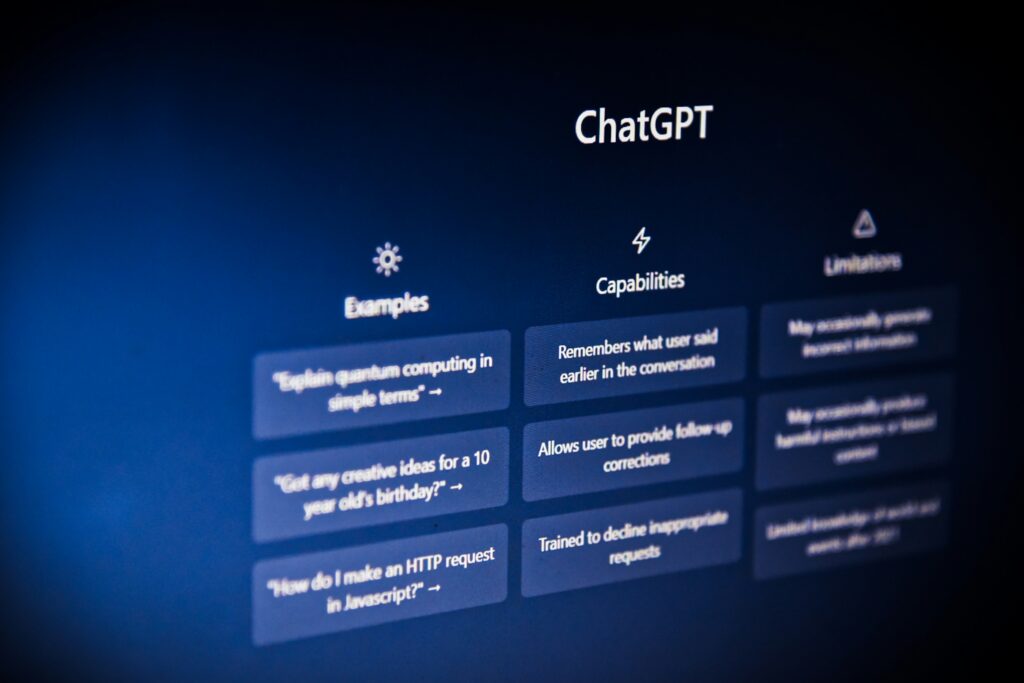
Let me walk you through the ChatGPT interface so you know exactly where everything is:
Key areas of the ChatGPT interface labeled for beginners
Main Interface Components:
- New Chat Button (Top left): Starts fresh conversations
- Conversation History (Left sidebar): All your past chats are saved here
- Model Selector Choose between different models depending on your plan — free users now get GPT-5.5 Instant by default. In the latest ChatGPT update, the model selector now appears inline within the chat itself, rather than in a fixed toolbar position.
- Message Box (Bottom): Where you type your questions and prompts
- Send Button (Paper plane icon): Sends your message to ChatGPT
- Regenerate Button: Creates a new response if you’re not satisfied
- Copy Button: Copies ChatGPT’s response to your clipboard
- Like/Dislike Buttons: Helps improve ChatGPT’s responses
Quick Practice: Try clicking the “New Chat” button to start fresh. Type “Hello, how are you?” and press Enter. You’ve just had your first ChatGPT conversation!
Step 3: Try These 5 Beginner Prompts Now!
The best way to learn is by doing. Copy and paste these exact prompts into ChatGPT to see how it responds:
- “Explain artificial intelligence to a 10-year-old”
Perfect for understanding complex topics simply - “Write a friendly email to my boss about working from home tomorrow because I’m not feeling well”
Great for professional communication help - “Give me 5 quick and healthy breakfast ideas that take less than 10 minutes to prepare”
Practical everyday assistance - “Help me plan a 3-day budget trip to [your city] including food, transportation, and activities”
Amazing for planning and research - “What are 10 creative ways to use ChatGPT for beginners?”
Meta-learning – asking ChatGPT how to use itself better!
Exercise: Try each of these prompts and observe how ChatGPT responds. Notice how it provides different types of answers based on what you ask.
Step 4: The Art of Writing Good Prompts
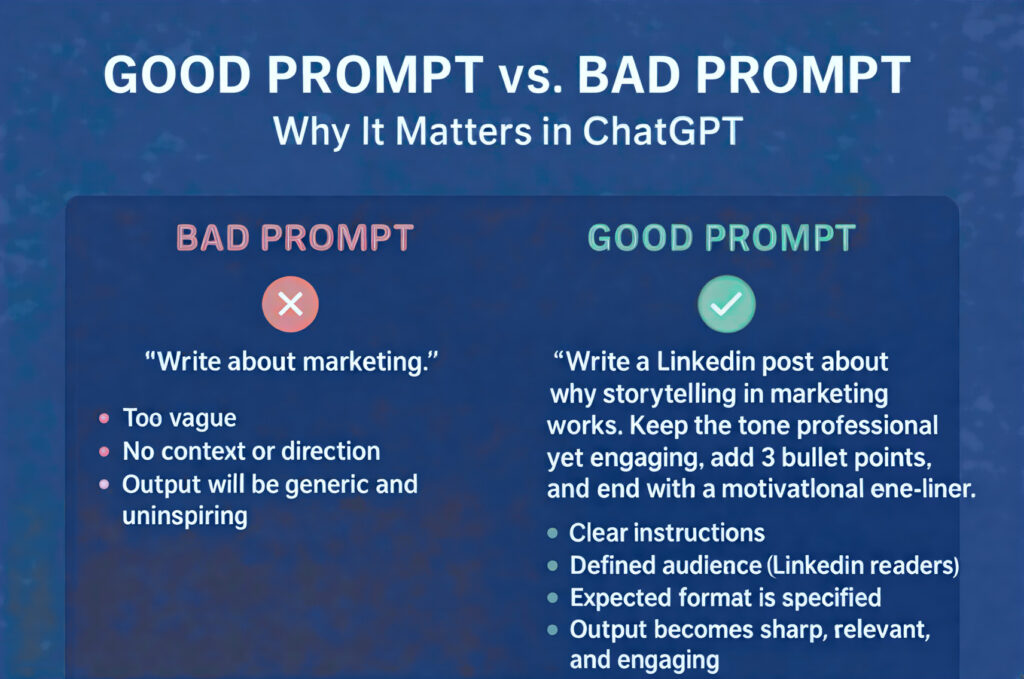
A “prompt” is simply what you type into ChatGPT. Learning to write good prompts is the key to getting great results. I’ve created the CLEAR Method for beginners:
The CLEAR Method:
C – Context (Set the scene)
Example: “I’m writing a blog for complete beginners who want to start gardening…”
L – Length (Specify how long you want the response)
Example: “Give me a 300-word explanation…” or “List 5 bullet points…”
E – Examples (Show what you want)
Example: “Write in a friendly tone like you’re explaining to a friend…”
A – Audience (Who is this for?)
Example: “Explain this to a college student…” or “Write for business professionals…”
R – Refine (Ask for improvements)
Example: “Now make it more concise…” or “Add more practical examples…”
Bad vs Good Prompt Examples:
❌ Bad: “Tell me about marketing”
✅ Good: “Explain digital marketing to a small business owner who’s just starting. Give me 5 practical steps they can take this week, in simple language.”
❌ Bad: “Write a story”
✅ Good: “Write a short children’s story about a friendly robot who learns to garden. Make it about 500 words, with a positive message about patience and growth.”
Step 5: ChatGPT 2026 Features (New Updates)
ChatGPT has evolved significantly. Here are the 2026 features every beginner should know:
Must-Know Features:
- Voice Conversations: Talk to ChatGPT like Siri or Alexa
- Image Analysis: Upload images and ask questions about them
- File Upload: Share PDFs, Word docs, Excel files for analysis
- Custom Instructions: Set preferences ChatGPT remembers
- Web Browsing: Get current information (enable in settings)
- Memory: ChatGPT can remember preferences in some conversations (feature availability may vary)
- Mobile App: Full features on iOS and Android
How to Access These Features:
- Most are available in the free version
- Some advanced features require ChatGPT Plus ($20/month)
- Mobile apps available in official app stores
Many of these advanced features require a modern device. See how AI is Transforming Smartphone Security to power these experiences.
How Different People Use ChatGPT Daily
Let me show you real examples of how various people use ChatGPT:
1. The Student:
- Homework Help: “Explain the water cycle step by step”
- Essay Outlines: “Create an outline for an essay about climate change”
- Study Schedules: “Make a 2-week study plan for my history exam”
- Language Practice: “Have a simple conversation with me in Spanish”
2. The Content Creator:
- Blog Ideas: “Give me 10 blog topics about sustainable living”
- Social Media: “Write 5 Instagram captions for coffee lovers”
- Video Scripts: “Create a 3-minute YouTube script about time management”
- SEO Optimization: “Suggest keywords for a pet care website”
3. The Small Business Owner:
- Marketing: “Write a Facebook ad for my bakery’s new cupcakes”
- Customer Service: “Draft polite responses to common customer complaints”
- Product Descriptions: “Write appealing descriptions for handmade jewelry”
- Business Planning: “Help me create a simple business plan template”
To get the most out of ChatGPT for your blog, check out my list of Best Free AI Tools for Beginners.
4. The Job Seeker:
- Resume Tips: “Improve this job description for my resume”
- Cover Letters: “Write a cover letter for a marketing assistant position”
- Interview Prep: “Give me common interview questions for software developers”
- Career Advice: “Suggest career paths for someone with sales experience”
7 Common ChatGPT Mistakes Beginners Make
Avoid these common pitfalls to get better results faster:
- Trusting Everything ChatGPT Says
Remember: ChatGPT can make mistakes. Always verify important information. - Writing Vague, Short Prompts
Instead: Be specific about what you want. - Not Using Follow-up Questions
Try: “Can you explain that more simply?” or “Give me another example.” - Copy-Pasting Without Editing
Always: Make the output your own. Add personal touches. - Ignoring Privacy
Never: Share sensitive personal information, passwords, or private data. - Giving Up After First Try
Remember: You can regenerate responses or rephrase your question. - Not Saving Good Conversations
Pro Tip: Bookmark or save chats with useful information.
ChatGPT Free vs Plus: Which is Better for You?
| Feature | Free Version | Plus Version ($20/month) |
| AI Model | GPT-5.5 Instant | GPT-5.5 Instant + advanced models (GPT-5.5 Thinking/Pro |
| Response Speed | Standard | Faster responses |
| Availability | May be limited during busy times | Priority access |
| File Upload | File Upload – Limited or unavailable in free version (varies by region) | Upload images, PDFs, documents |
| Web Browsing | Manual activation | Advanced browsing |
| Voice Features | Basic | Advanced voice mode |
| Message Limits | Unlimited (with occasional limits) | Higher message caps |
My Recommendation for Beginners: Start with the free version. It’s more than enough to learn and accomplish most tasks. Consider upgrading only if you need GPT-4’s advanced reasoning or file upload features regularly.
10 Pro Tips for Amazing ChatGPT Results
- Use the “Act as” Technique: “Act as a career counselor helping a recent graduate…”
- Request Step-by-Step Instructions: “Break this down into 5 simple steps…”
- Ask for Multiple Options: “Give me 3 different approaches to…”
- Use Temperature Settings (if available): Higher = more creative, Lower = more focused
- Create a Prompt Library: Save your best prompts in a document
- Use Bullet Points in Questions: Makes your requests clearer
- Ask for Simplification: “Explain this like I’m 15 years old…”
- Combine Requests: “First summarize this article, then suggest discussion questions”
- Use for Brainstorming: “Give me 20 ideas for…” then refine
- Fact-Check Important Information: Always verify critical facts from reliable sources
What’s Next for ChatGPT in 2026?
As we move through 2026, here’s what to expect:
In May 2026, OpenAI officially announced that GPT-5.5 Instant would become the new default model for all ChatGPT users. According to OpenAI, this new model cuts “hallucinations” by over 50%, making it more reliable than ever for everyday tasks.
Upcoming Improvements:
- Better Voice Features: More natural conversations
- Increased Integration: Working seamlessly with other apps
- Improved Accuracy: Fewer mistakes and hallucinations
- Personalization: Learning your style and preferences better
- Mobile Experience: Enhanced features on smartphones
How to Stay Updated:
- Follow OpenAI’s official blog
- Join ChatGPT user communities
- Check for updates in your ChatGPT settings
- Subscribe to tech newsletters about AI developments
Frequently Asked Questions (FAQ)
Q1: Is ChatGPT really free in 2026?
Yes, there’s a very generous free tier. You can use it without even an account, though signing up gives you more features. OpenAI introduced a new, lower-priced $8/month plan called ChatGPT Go in 2026, which sits between the free and Plus plans.
Q2: Can I use ChatGPT on my phone?
Absolutely. There are official apps for both iPhone and Android, available in the Apple App Store and Google Play Store. You can even use the Voice Mode feature in the app to talk to ChatGPT directly.
Q3: Is ChatGPT safe to use? What about my privacy?
It’s generally safe for everyday tasks, but you should never share sensitive personal information. In 2026, OpenAI introduced “Advanced Account Security” which allows you to use physical security keys for login and provides extra protection for high-risk users.
For a deeper look at keeping your data safe, read my guide on AI Privacy Protection in Smartphones.
Q4: What’s the biggest new feature in ChatGPT for 2026?
The biggest update is the new default model, GPT-5.5 Instant, which is now available to all free users. It’s faster, reduces mistakes (“hallucinations”) by 52.5%, and is much better at understanding the context of your conversation.
Q5: What’s the difference between the free version and ChatGPT Plus in 2026?
The free version is now more powerful than ever, using GPT-5.5 Instant. The Plus plan ($20/month) gives you access to even more advanced models and higher usage limits. There’s also a new $100/month Pro plan for super-users.
Q6: What can I ask ChatGPT?
Almost anything! You can ask it to write emails, brainstorm ideas, summarize long articles, explain complex topics in simple terms, help you learn a new language, and even generate code.
Ready to Start Your ChatGPT Journey?
You’ve just completed the most comprehensive beginner’s guide to ChatGPT! Here’s what you should do next:
Your Action Plan:
- Create your account (if you haven’t already)
- Try the 5 practice prompts from this guide
- Experiment with the CLEAR method for writing prompts
- Save your best conversations for future reference
- Practice daily – even 10 minutes helps!
Remember These Key Points:
- ChatGPT is a tool to enhance your abilities, not replace them
- Good prompts lead to great results
- The free version is powerful enough for most beginners
- Practice is more important than perfection
- Learning ChatGPT today prepares you for tomorrow’s AI world
Final Encouragement: Every expert ChatGPT user started exactly where you are right now. The only difference is they started practicing. Your journey with AI begins with that first prompt. What will you ask ChatGPT today?
ChatGPT is powerful, but have you seen how AI can physically protect your phone? Learn about AI Smartphone Anti-Theft features in 2026.
Using ChatGPT is even better on a fast phone. See our Best Budget Smartphones in 2026 guide.

Baqir Ali is the Founder of Baqir Digital Hub and a passionate SEO, AI, and Blogging specialist. With years of experience in digital marketing, he helps beginners and professionals grow online using smart content strategies, AI tools, and SEO best practices. His mission is to simplify technology and help people build sustainable online income.
use full information thanks to you
Good 👍 job it’s too easy to understand chatgpt how it works thanks