

It’s 7:30 AM, and your alarm gently wakes you with a gradually increasing volume. As you reach for your phone, it recognizes your face and instantly unlocks. While checking messages, you notice your battery is at 15% but somehow lasts through your morning routine. Later, you take a photo in tricky lighting, and somehow it turns out perfectly balanced. These aren’t coincidences—they’re your smartphone’s artificial intelligence working silently in the background, learning your patterns and optimizing your experience.
This invisible intelligence has become so seamlessly integrated into our daily smartphone use that we rarely stop to think about what’s happening behind the scenes. The truth is, your phone in 2026 is less of a “phone” and more of a personal digital assistant that understands your habits, anticipates your needs, and makes thousands of tiny optimizations every day without asking for permission.
In this article, we won’t bore you with technical jargon or complex AI theories. Instead, we’ll pull back the curtain on the real-life AI features you’re already using every day—often without even realizing it. By the end, you’ll understand how your smartphone has become smarter than ever, and you’ll know exactly what to look for when choosing your next device. No PhD in computer science required—just everyday experiences explained simply.
AI in Smartphones vs Traditional Software: Why Your Phone Feels “Smarter”
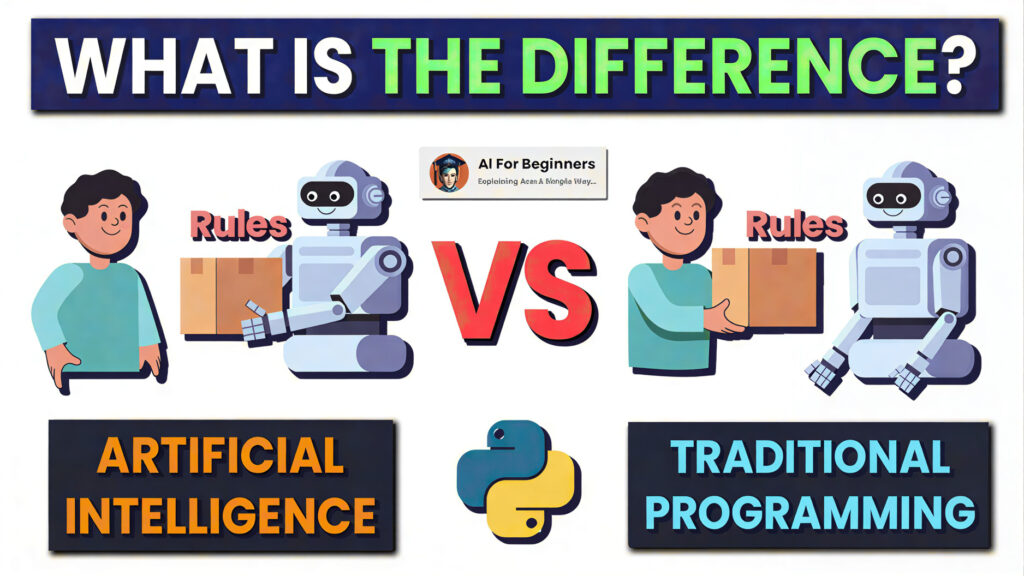
Remember when smartphones were essentially mini-computers that followed strict rules? If you pressed this button, that app opened. If you took a photo, it captured exactly what the sensor saw, flaws and all. Traditional software was like following a recipe: same ingredients, same steps, same result every time.
Modern AI-powered smartphones are different. They’re more like having a personal chef who learns your tastes, adjusts recipes based on what’s available, and surprises you with perfect meals you didn’t even know you wanted. Here’s the key difference:
Rule-Based Software (The Old Way):
- “If battery ≤ 20%, turn on power saving mode”
- “If face detected, unlock phone”
- “If scene = portrait, apply blur effect”
AI-Powered Systems (Today’s Smartphones):
- “User usually charges phone around 9 PM, so optimize battery to last until then”
- “This is Sarah’s face, but she’s wearing glasses today—still unlock”
- “This is a portrait in sunset lighting with two subjects—enhance faces and warm tones”
The Learning Difference: Traditional software doesn’t improve with use. AI systems get better the more you use your phone. Two people with identical phone models will have completely different AI experiences because their devices learn from their individual behaviors.
Adaptation vs Automation: While automation follows rules, adaptation learns patterns. Your phone noticing you always open social media at lunch and pre-loading those apps is adaptation. Setting an alarm for noon is automation.
AI That Watches Your Daily Routine: On-Device Learning in Action
Here’s where things get really interesting—and slightly sci-fi. Your smartphone is constantly learning about you, but in a way that respects your privacy. This happens through on-device learning, where the AI processes data locally on your phone without sending everything to the cloud.
How Your Phone Learns Your Daily Patterns:
Morning Routine Recognition:
- Notices you check weather, news, and messages within 10 minutes of waking
- Prepares these apps in the background so they load instantly
- Adjusts screen brightness based on your typical morning location (bedroom vs kitchen)
Commute Intelligence:
- Learns your travel routes and times
- Pre-loads traffic information before you ask
- Suggests music or podcasts you typically enjoy during commute
- Turns on Bluetooth when you’re 5 minutes from your car
Work/Study Hour Optimization:
- Recognizes when you enter “focus mode” locations (office, library)
- Automatically silences non-essential notifications
- Suggests putting phone in DND during meetings or classes
- Learns which work apps need priority performance
Evening Wind-Down Learning:
- Notices you watch videos or play games in the evening
- Optimizes performance and cooling for these activities
- Learns your bedtime routine and suggests reducing blue light
- Prepares charging optimization based on your sleep schedule
Privacy-First Design:
The beautiful part? Most of this learning happens entirely on your device. Your daily patterns, locations, and habits stay private because the AI processes this information locally. Only anonymized, aggregated data (never personal details) might be used to improve the AI model for everyone.
Real Example: Your phone learns you always call your mom on Sunday evenings. By Saturday, it’s already optimizing battery and network settings for that call, but it never tells the phone company “John calls his mom every Sunday at 7 PM.”
Camera AI You Don’t Even Notice: The Invisible Photographer
When you point your phone at a scene and tap the shutter, you’re not just taking a photo—you’re initiating a complex AI process that makes dozens of decisions in milliseconds. Here’s what happens between “tap” and “photo saved”:
Scene Detection and Analysis (First 50ms):
- AI scans the scene for: faces, pets, food, documents, landscapes, skies, text
- Identifies lighting conditions: backlight, low light, mixed lighting, golden hour
- Detects motion: moving subjects, camera shake, intentional panning
- Analyzes composition: rule of thirds, leading lines, potential distractions
Real-Time Optimization (Next 100ms):
- Exposure Balancing: Decides which areas to brighten or darken
- Color Correction: Adjusts hues based on scene type (greens for nature, skin tones for portraits)
- Detail Enhancement: Sharpens important details while smoothing noise
- Dynamic Range Expansion: Takes multiple exposures and blends them seamlessly
Specialized Processing:
- For Faces: Eye enhancement, skin smoothing (not plastic-looking), teeth brightening
- For Text/Documents: Sharpens text, removes shadows, straightens pages
- For Food: Boosts saturation, enhances textures, makes dishes look appetizing
- For Skies: Enhances clouds, adjusts blue tones, can even replace dull skies
Video AI: The Unsung Hero:
- Stabilization: Predicts motion and adjusts frames before blur happens
- Audio Focus: Isolates and enhances speech while reducing background noise
- Auto-Framing: Keeps moving subjects centered without your intervention
- Lighting Adaptation: Adjusts exposure smoothly as lighting changes
The Magic You Never See: When you take a group photo, the AI is individually optimizing each face. When you photograph a sunset, it’s enhancing the colors you remember seeing, not what the sensor captured. When you scan a document, it’s correcting perspective and improving readability—all automatically.

Battery AI: Why Your Phone Lasts Longer Than the Numbers Suggest
You might have noticed something strange: two phones with identical battery capacities can have wildly different battery life. That’s AI optimization at work. Here’s how your phone manages to squeeze out extra hours:
Sleep Learning and Pattern Recognition:
- Tracks which apps you use at specific times of day
- Learns when you’re typically asleep vs awake
- Identifies “idle periods” where battery can be conserved
- Predicts when you’ll next charge based on historical patterns
Intelligent App Management:
- Background Restriction: Puts rarely used apps into deep sleep
- Usage Prediction: Keeps frequently used apps “warm” for quick launching
- Network Optimization: Manages Wi-Fi/5G switching based on location and activity
- Push Notification Batching: Groups notifications to reduce wake-ups
Adaptive Charging (Battery Health AI):
- Learns your overnight charging routine
- Slows charging to 80% until just before you wake up
- Reduces heat generation during charging
- Prevents overcharging and reduces battery degradation
- Suggests optimal charging times based on your schedule
Context-Aware Power Management:
- Location-Based Optimization: Saves power at home/work, maximizes performance when needed
- Activity Detection: Adjusts power usage when walking, driving, or stationary
- Temperature Management: Reduces performance in extreme temperatures to prevent damage
- Emergency Reserve: Always keeps minimum power for calls and emergencies
Real-World Impact: A 5000mAh battery with intelligent AI management often outperforms a 6000mAh battery with basic power saving. The AI doesn’t just save power—it strategically allocates it where and when you need it most.

AI in Performance & Gaming: The Hidden Power Boost
When your favorite game runs smoothly or apps switch seamlessly, you’re experiencing AI performance optimization. Here’s how it works:
Resource Allocation Intelligence:
- Predictive Loading: Anticipates which apps you’ll open next based on time/location
- Memory Management: Keeps frequently used apps in RAM, compresses inactive ones
- CPU/GPU Scheduling: Allocates processing power based on app requirements
- Thermal Prediction: Adjusts performance before overheating occurs
Gaming-Specific Optimization:
- Frame Rate Stabilization: Maintains consistent FPS by adjusting graphics in real-time
- Touch Response Enhancement: Reduces latency between touch and action
- Network Prioritization: Ensures gaming packets get priority on busy networks
- Background Process Suspension: Silently pauses non-essential processes during gaming
App-Specific Tuning:
- Camera Apps: Gets maximum CPU/GPU for processing
- Productivity Apps: Prioritizes smooth scrolling and quick responses
- Video Apps: Optimizes for decoding and smooth playback
- Social Media: Balances performance with battery efficiency
The Budget Phone Revolution: This is why today’s budget phones feel so much faster. They’re not necessarily using faster hardware—they’re using AI to optimize what they have. A well-tuned mid-range phone can often feel smoother than a poorly optimized flagship.
Voice Assistants Are Just the Surface: AI Does More Than Listen
When you say “Hey Google” or “Hey Siri,” you’re only scratching the surface of your phone’s conversational AI. Here’s what’s happening behind the scenes:
Beyond Simple Commands:
- Context Awareness: Understands “Call him” refers to the last person mentioned
- Conversational Memory: Remembers what you asked earlier in the conversation
- Multimodal Understanding: Processes voice along with screen content and location
- Personalized Responses: Tailors answers based on your history and preferences
Predictive Assistance (The Real Magic):
- Smart Suggestions: Offers to start navigation when it detects you’re leaving for work
- Automatic Organization: Sorts emails and messages by priority learned from your behavior
- Routine Creation: Suggests automations based on repeated patterns
- Proactive Alerts: Warns about traffic before you check, suggests leaving earlier
Accessibility Features Powered by AI:
- Live Caption: Real-time transcription of any audio
- Screen Reader Enhancement: Better context understanding for visually impaired users
- Sound Recognition: Alerts for important sounds (doorbell, baby crying, alarm)
- Voice Access: Complete phone control through voice commands
The Unseen Conversation: Your phone is constantly having a silent conversation with itself, deciding what information you might need next and preparing it in advance. It’s not waiting for you to ask—it’s trying to anticipate what you’ll need.
Is Smartphone AI Safe for Privacy? Understanding Data Flow
This is the most important question for many users. Let’s clear up how modern AI balances intelligence with privacy:
On-Device vs Cloud Processing:
On-Device AI (Privacy First):
- Processing happens entirely on your phone
- Personal data never leaves your device
- Works without internet connection
- Examples: Face unlock, voice typing, photo enhancement
Cloud-Assisted AI (Balanced Approach):
- Simple processing on device, complex tasks in cloud
- Anonymized data sent for improvement
- Requires internet connection
- Examples: Complex language translation, image search
What Your Phone Typically Doesn’t Send:
- Personal photos (processed locally)
- Location history (stored and processed locally)
- Message content (analyzed locally for suggestions)
- Health/fitness data (processed on device)
- Payment information (never accessed by AI)
Transparency and Control:
Modern smartphones provide:
- Privacy Dashboard: See what data each app accesses
- One-Time Permissions: Grant access just once
- Approximate Location: Share general area instead of exact coordinates
- Auto-Delete Controls: Set data to delete automatically
- AI Processing Indicators: Visual cues when AI is active
The Reality: Reputable manufacturers have embraced “Privacy by Design” principles. The AI features that feel most magical (camera enhancements, battery optimization) typically work entirely on your device. Cloud AI is usually reserved for services you explicitly use (like searching the web with your voice).
How to Choose an AI-Smartphone in 2026: Features That Actually Matter
Forget brand wars and specification sheets. Here’s what really matters when choosing an AI-smartphone:
Essential AI Hardware:
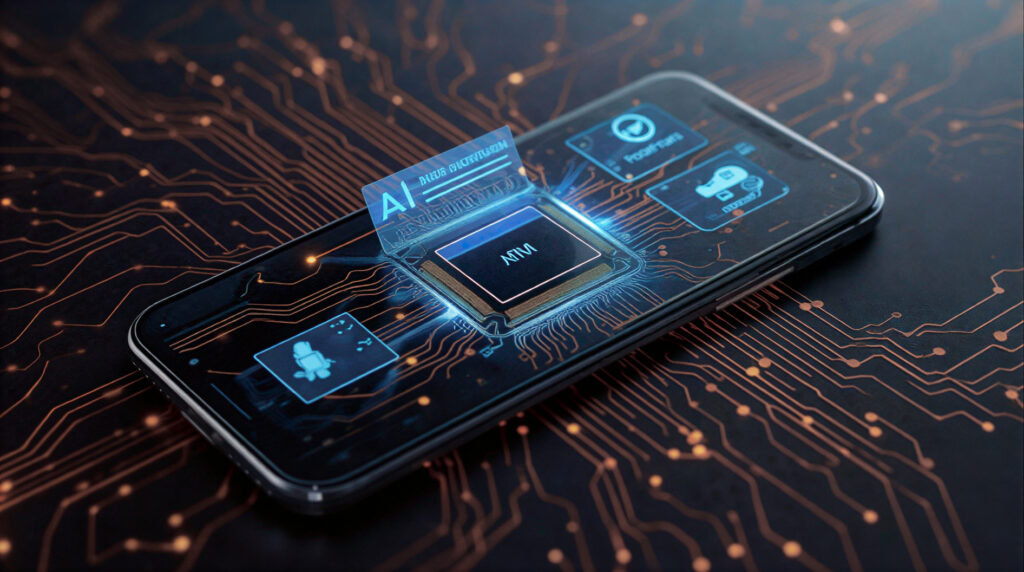
- Dedicated AI Processor: NPU (Neural Processing Unit) for efficient AI tasks
- Ample RAM: 8GB minimum for smooth AI multitasking
- Quality Sensors: Good cameras, microphone, accelerometer for AI input
Software Intelligence Checklist:
- On-Device Processing: Major AI features should work offline
- Adaptive Battery: Look for AI-powered battery management
- Camera Computational Features: Beyond megapixels—AI enhancement capabilities
- Contextual Awareness: Phone should learn and adapt to routines
- Long-Term Update Promise: AI improves with software updates
User Experience Indicators:
- Getting Smarter Over Time: Phone should adapt in first 2-3 weeks
- Personalized Suggestions: Offers relevant recommendations
- Proactive Assistance: Anticipates needs before you ask
- Minimal Manual Settings: Most optimization happens automatically
Privacy-First Features:
- Transparent AI Controls: Clear settings for AI features
- On-Device Processing Options: Choice to keep data local
- Regular Security Updates: Essential for AI privacy protection
- Data Minimization: Phone should collect only what’s necessary
The Ultimate Test: Use the phone for a week. Does it start anticipating your needs? Does battery life improve as it learns your routine? Do photos automatically look better? That’s real AI—not specifications on paper.
Conclusion: Your Phone is Becoming Your Invisible Partner
As we’ve explored, artificial intelligence in smartphones has evolved from a buzzword to an invisible partner that enhances nearly every interaction with your device. The most remarkable aspect? The best AI is the kind you don’t notice—it just makes everything work better.
Looking forward, smartphone AI will become even more seamless and personalized. We’re moving toward devices that understand context at a deeper level, anticipate needs before we articulate them, and adapt to our unique lifestyles in ways that feel natural rather than intrusive.
When choosing your next smartphone, look beyond specifications and brand loyalty. Consider which device offers the most intelligent experience—the one that learns how you live and adapts to support you better each day. The future isn’t about faster processors or more megapixels; it’s about smarter, more contextual experiences that make technology work for you, not the other way around.
Want to see AI smartphones in action? Check out our detailed guides on the Best Budget Smartphones in 2026 & Best AI Smartphones Under $300 in 2026 (Top Budget Picks) and how they implement these intelligent features to deliver exceptional value.
Remember: The most powerful AI isn’t the one with the most teraflops—it’s the one that understands you best. Choose wisely, and your smartphone will become less of a device and more of a digital extension of yourself.

Baqir Ali is the Founder of Baqir Digital Hub and a passionate SEO, AI, and Blogging specialist. With years of experience in digital marketing, he helps beginners and professionals grow online using smart content strategies, AI tools, and SEO best practices. His mission is to simplify technology and help people build sustainable online income.
pleas suggest trusted platform for mobiles
in next few day i will do it
Pingback: How AI Makes Smartphones More Accessible in 2026: Technology Designed for Everyone - Baqir Digital Hub
Pingback: How AI Is Extending Smartphone Battery Life in 2026: Smarter Power for All-Day Use - Baqir Digital Hub
Pingback: How AI Is Making Smartphones Smarter for Mental Wellness in 2026 - Baqir Digital Hub
Pingback: How AI Is Transforming Smartphone Security in 2026: Smarter Protection Than Ever Before - Baqir Digital Hub