
Most best free AI tool lists stop at the signup page. They tell you it’s free, you click through, and three weeks later you’re hit with a message cap, a paywall on the feature you actually wanted, or ads in your chat window.
I’ve been using four free AI tools for beginners regularly for the past year: ChatGPT, Gemini, Claude, and Canva. Not as a reviewer running benchmarks. As someone who opens them most days for writing, research, and design work. Below is what each one actually gives you on the free plan as of September 2026, where the limits bite, and what you’re trading in exchange for paying nothing. This guide covers the tools that actually matter— not the ones that look good on a landing page.
I haven’t tested Perplexity, NotebookLM, or the dozens of other tools that show up on these lists. This covers the four I can speak to honestly.
Quick Answer: Which One First?
- Writing and general questions: ChatGPT
- Research with current information: Gemini
- Long documents and careful editing: Claude
- Simple graphics and social posts: Canva
If I could keep only one, it would be ChatGPT — it was the first AI tool I ever opened, and I still reach for it first when I need something written or researched quickly.
What Free Really Costs
Free AI plans are not charity. Three things pay for them.
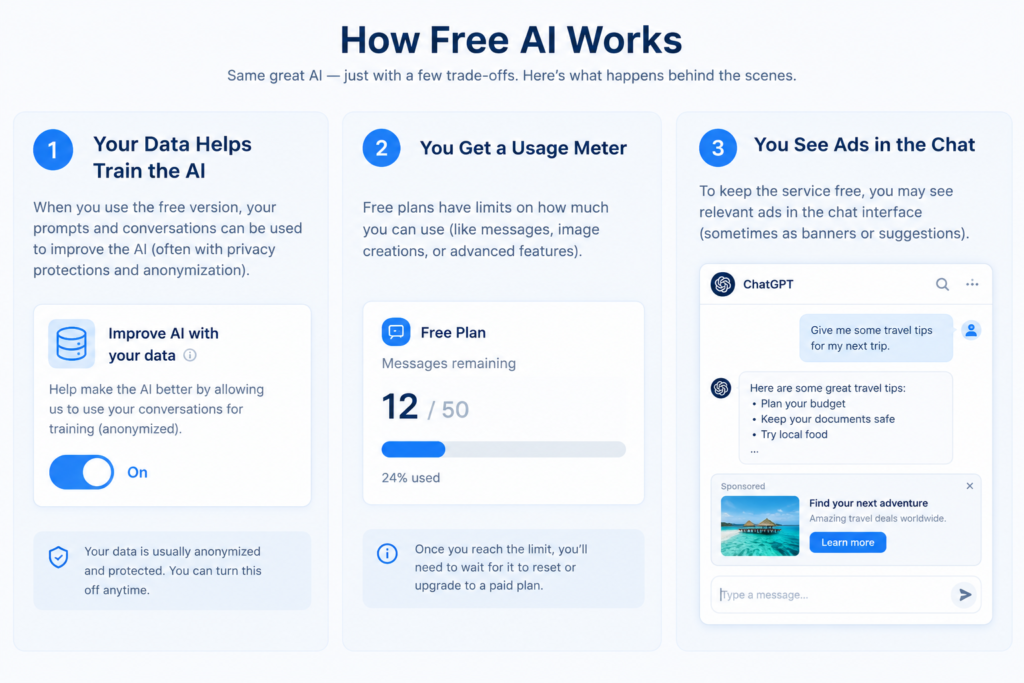
Data training. On ChatGPT, Gemini, and Claude, free conversations may be used to improve the models by default. You can turn this off in settings, and I’ll show you where. Canva handles it differently: your design content isn’t used for training unless you opt in, though general usage data is collected by default.
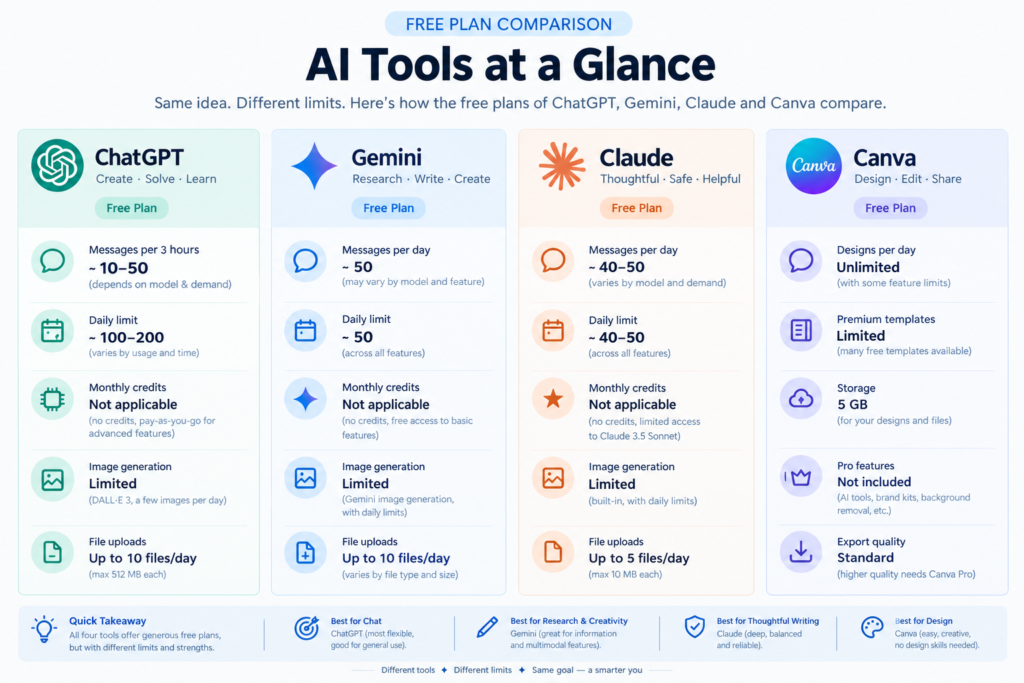
Usage caps. ChatGPT gives unlimited text messages but limits tools like image generation and file uploads. Gemini caps prompts per day. Claude caps messages per five-hour window. Canva caps AI actions per month.
Ads. OpenAI began testing ads on the Free and Go tiers in the US on February 9, 2026 (OpenAI Ads FAQ). Free users can opt out, but only by accepting fewer daily messages. Gemini and Claude don’t show ads.
ChatGPT
What it’s good for: General questions, drafting, brainstorming, rewriting. It’s the one I reach for first when I just need something written or explained.
Free limits as of September 2026: Unlimited everyday text chats, subject to abuse-prevention safeguards. File uploads, image generation, voice, and data analysis all have separate, lower limits. The Library storage cap is 500MB. OpenAI Help Center
Ads and data: Ads appear on the Free tier in certain countries. You can opt out of ads in exchange for fewer daily messages. OpenAI Ads FAQ
For training data: your chats are used to improve models by default. To turn it off, go to Settings → Data Controls → “Improve the model for everyone” → toggle off.
My experience: I started using ChatGPT for writing and research. The free plan handled both well until I needed more — engaging social media posts and some image editing. That’s when the limits showed up. A countdown timer appeared at the bottom of the screen telling me exactly when I could use it again — roughly 5 to 6 hours later. I was in the middle of a work session, and having the tool cut out at that moment was genuinely frustrating. Not a dealbreaker, but worth knowing before you build a workflow around it.
Honest weakness: The unlimited text chat is generous, but the moment you need to upload a file or generate an image, you’ll feel the cap. The free tier feels unlimited until it suddenly isn’t.
Gemini
What it’s good for: Anything where you need current information. Gemini pulls from Google Search by default, so it’s better than ChatGPT for “what happened this week” type questions.
Free limits as of September 2026: Around 30 prompts per day on the free tier, roughly 20 images per day, with a 32,000-token context window. Google adjusts these numbers without much warning, so treat them as approximate. 9to5Google
Data: Gemini’s “Keep Activity” setting controls whether your chats are used for model training. Turning it off also means chat history isn’t saved. Google Support
My experience: I’ve used Gemini, but it’s not my go-to. The reason is straightforward: I once asked it to edit a real photo of a person, and the result was strange — the image came back looking nothing like what I expected. I gave ChatGPT the exact same prompt and got a clean, accurate result. Gemini is genuinely useful for research — it pulls current information from Google in a way that feels similar to ChatGPT — but for anything visual, I don’t reach for it anymore.
Honest weakness: The daily prompt cap arrives faster than you expect if you’re using it for anything substantial. I’ve hit it mid-task more than once.
Claude
What it’s good for: Working with long text. If you’re editing a document, analyzing a contract, or rewriting something carefully, Claude holds context better than the others on free plans.
Free limits as of September 2026: Claude Sonnet 5 and Haiku 4.5 are available. Anthropic doesn’t publish exact message limits. Community testing puts it at roughly 15 to 40 messages per rolling 5-hour window, with capacity dropping during peak hours. Context window is around 200,000 tokens. File uploads support up to 20 files per chat, 500MB per file. Engadget
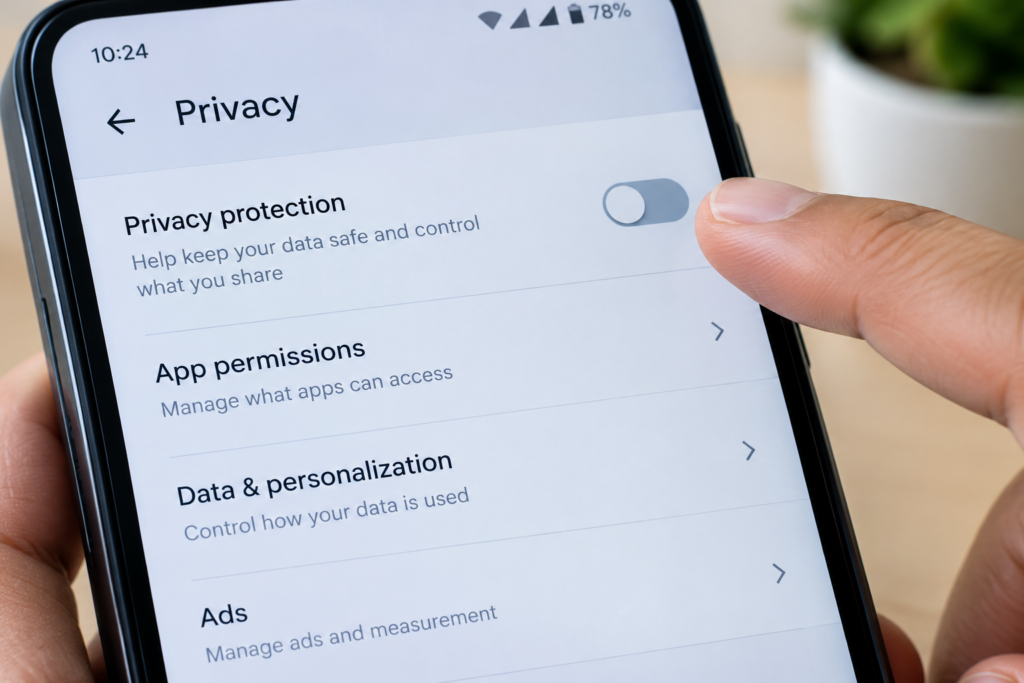
Data: Go to Settings → Privacy → “Help Improve our AI models” to toggle training off. Anthropic applies the same privacy controls across Free, Pro, and Max. Anthropic Privacy Center
My experience: Claude is the one I use for long documents and general questions. The responses feel more careful and thorough than the others, and the free context window is larger — which matters when you’re working with a full document rather than a short prompt.
One thing worth knowing: Claude does not edit or generate images. It’s text and documents only. If you need visual work done, you’ll need a different tool for that part.
Honest weakness: The five-hour rolling window doesn’t reset at midnight. If you use Claude heavily in the morning, you may find yourself locked out by afternoon — right when you need it most.
Canva
What it’s good for: Social media graphics, simple presentations, quick edits. Magic Write and the Background Remover are the two I use most.
Free limits as of September 2026: Up to 200 Standard AI uses or 20 Premium AI uses per month. No access to Ultra AI tools. Standard tools include Magic Write and Background Remover. Premium tools are the more advanced generation features. Credits reset on the first of each month. Canva Help Centre
Data: Your design content isn’t used to train AI unless you turn that permission on. But general usage and activity data helps Canva improve its AI features by default, and you have to toggle that off manually. Canva Privacy Preferences
My experience: Canva is the tool I use for everything visual — thumbnails, Shorts editing, and longer video edits. The manual editing side is genuinely impressive for a free tool. In all the time I’ve used it for video and design work, I haven’t hit a hard limit on the core editing features. The AI credit limits are real, but if you’re using Canva mainly for hands-on editing rather than AI generation, the free plan goes further than you’d expect.
Honest weakness: Twenty Premium AI uses sounds like a lot until you’re generating multiple versions of one image. I ran through mine in a single afternoon.
Which One First?
If you’re starting from zero, open ChatGPT. It’s the easiest entry point and the unlimited text chat means you can experiment without watching a counter.
Once you’ve used it for a week and know what you actually want from an AI tool, add the second one that matches your need. Gemini for research. Claude for long documents. Canva if you need visuals.
Starting with all four at once is the fastest way to use none of them well. If you’re still building your basics, our beginner’s guide to how AI works inside smartphones explains the AI already running in your pocket — useful background before you start using chatbots daily.
Three Settings to Check on Day One
- ChatGPT training: Settings → Data Controls → “Improve the model for everyone” → off
- ChatGPT ads: Settings → Ad controls → “Change plan to go ad-free” (accept fewer messages) if you’re in a test region
- Claude training: Settings → Privacy → “Help Improve our AI models” → off
For Gemini, the setting you want is called “Gemini Apps Activity” under your Google Account settings. Turning it off means your chats won’t be saved or used for training — but it also means you lose chat history. Decide which matters more to you before toggling it.
Canva’s training toggle is off by default for your content, but the general usage toggle is on. Check Settings → Personal privacy.
If privacy settings matter to you beyond AI tools, our guide on AI Privacy Protection in Smartphones 2026 covers how the same principles apply to your phone’s built-in AI.
When Free Stops Being Enough
Free plans are genuinely usable for light, regular use. They stop working when your usage becomes predictable and frequent.
I haven’t upgraded any of these tools to a paid plan. The free tiers cover what I need most of the time. The frustrating moments — like hitting ChatGPT’s limit mid-session — are real, but not frequent enough to justify a monthly subscription yet.
For me, the breakpoint was file uploads. Once I started using AI tools for document work rather than one-off questions, the free limits on uploads and context length became the bottleneck, not the text chat itself.
If you’re thinking about which phone to pair with these tools — especially for on-device AI features — our Google Pixel 11 Series 2026 launch guide covers what’s new in Google’s latest hardware.
FAQ
Is the ChatGPT free plan enough for beginners?
For text-based questions and drafting, yes. You get unlimited messages. The limits hit when you need image generation, file uploads, or heavy use of tools. OpenAI confirms that these have separate usage caps on the free tier.
Do free AI tools use my data for training?
By default, yes on ChatGPT, Gemini, and Claude. Canva doesn’t train on your design content unless you opt in. Every tool listed here gives you a way to turn training off. It’s worth doing on day one.
Which free AI tool has the fewest limits?
ChatGPT has the most generous text chat allowance. Claude and Gemini cap usage more tightly. Canva’s limits are monthly rather than daily, so they’re easier to plan around.
Sources and Last Checked
All limits verified against official help pages in September 2026. AI plan limits change frequently. Check the official pages linked above for current numbers before making decisions based on this article.
I’m not affiliated with OpenAI, Google, Anthropic, or Canva. Opinions here are based on personal use.
🔗 Related Guides on Baqir Digital Hub
- AI Privacy Protection in Smartphones 2026: How AI Keeps Your Data Safe Without Tracking You
- How AI Works Inside Smartphones: Real-Life Features You Use Every Day (2026)
- Google Pixel 11 Series 2026: Everything You Need to Know About the August 12 Launch
Disclaimer
The images used in this article are AI-generated for illustrative purposes. Product details, pricing, and free-plan limits are based on official help pages and independent tech reporting linked throughout the article. Limits change frequently — check official pages before relying on any number.
Written by Baqir Ali
Founder of Baqir Digital Hub | AI Tools & Smartphone Researcher
Baqir has been using and writing about AI tools since 2024, helping beginners understand what actually works — and what free really costs.

Baqir Ali is the Founder of Baqir Digital Hub and a passionate SEO, AI, and Blogging specialist. With years of experience in digital marketing, he helps beginners and professionals grow online using smart content strategies, AI tools, and SEO best practices. His mission is to simplify technology and help people build sustainable online income.